I go through about 25 cybersecurity news portals and blogs every week and pull out the most interesting stories. Then I turn them into this short, digestible summary, so you can stay up to date without trying to follow 25 different sources yourself. 😱
My aim is to create a summary that gives you the gist without needing to open up the source article. But if you do want to dig deeper, all the sources covering the event are linked below each story.
If you enjoy these, come back next Monday, or subscribe to the e-mail newsletter.
Australian privacy regulator: Qantas not at fault after vishing scam exposed 5.67M customer records via CRM app connection
Australia’s privacy regulator cleared Qantas of breaching its privacy obligations over a June 2025 incident that exposed 5.67 million customer records, in a decision that underscores how the Privacy Act works: fault turns on whether a company took reasonable steps to prevent harm, not on whether harm occurred. A vishing scam had tricked a contact center agent into authorizing a CRM connection to an attacker’s data extraction tool — but with supplier audits, training, and role-based access already in place, the regulator found the gap that let it happen sat in a platform default, not in Qantas’s own diligence.
Key Details
- 5.67 million customer records were exposed: about 4 million with names, phone numbers, email addresses, and Frequent Flyer details; and about 1.7 million with additional data such as addresses and dates of birth (plus fields like gender and meal preferences).
- The regulator cited a default CRM configuration that allowed third-party app connections as a contributing factor, noting the vendor has since changed this default for customers.
- OAIC noted Qantas had audited the overseas contact center provider and ran recurring security awareness and PII-handling training, and used controls including role-based access to customer data.
- Qantas detected suspicious activity via an unusual spike in login-attempt alerts and locked the compromised account the same day it was escalated internally; the company publicly disclosed the incident on July 2.
Next Steps
- In CRM/contact-center environments, disable or tightly restrict third‑party app connections (or require explicit admin approval) rather than relying on vendor defaults—especially for agent-facing sessions.
- Update contact center playbooks so agents treat unsolicited “IT help” calls and ticket-closing instructions as high-risk and route them through a verified internal support channel before taking any action in CRM.
Read more at The Cyber Express, The Register, SC World
Scammers use unsolicited FaceTime calls posing as banks and “Apple Support” to steal credentials and drain accounts
Apple and Malwarebytes warn that scammers are using unexpected FaceTime calls—often following urgent “account problem” texts—to impersonate banks or Apple Support and capture credentials/OTP codes. The real-time call format lowers victims’ suspicion and can be chained with other techniques (including remote-access tool installs) to quickly take over accounts and move money.
Key Details
- Common script elements include claims of fraud/technical issues, demands to “verify” card or banking details/Apple ID, and pressure to act immediately.
- Some victims are guided into installing remote-access software or sharing time-sensitive MFA/one-time passcodes, enabling direct account takeover.
- Apple’s guidance appears in its broader scam-awareness material noting attackers may approach via phone, FaceTime, text, or email while impersonating trusted organizations.
- Apple asks users to report suspicious FaceTime calls by emailing a screenshot to [email protected].
- Malwarebytes notes attackers may combine stolen credentials with browser-side exploitation via booby-trapped sites to escalate from initial access to deeper device compromise in some campaigns.
Next Steps
- Terminate and verify out-of-band: if a bank/“Apple Support” contact arrives via unsolicited FaceTime/text and requests credentials, OTPs, payments, refunds, or screen sharing, hang up and call the institution using a known-good number from your card/app/official website.
- Report suspicious FaceTime scam attempts by emailing a screenshot of the call details to [email protected].
Read more at Cybersecurity News, Malwarebytes
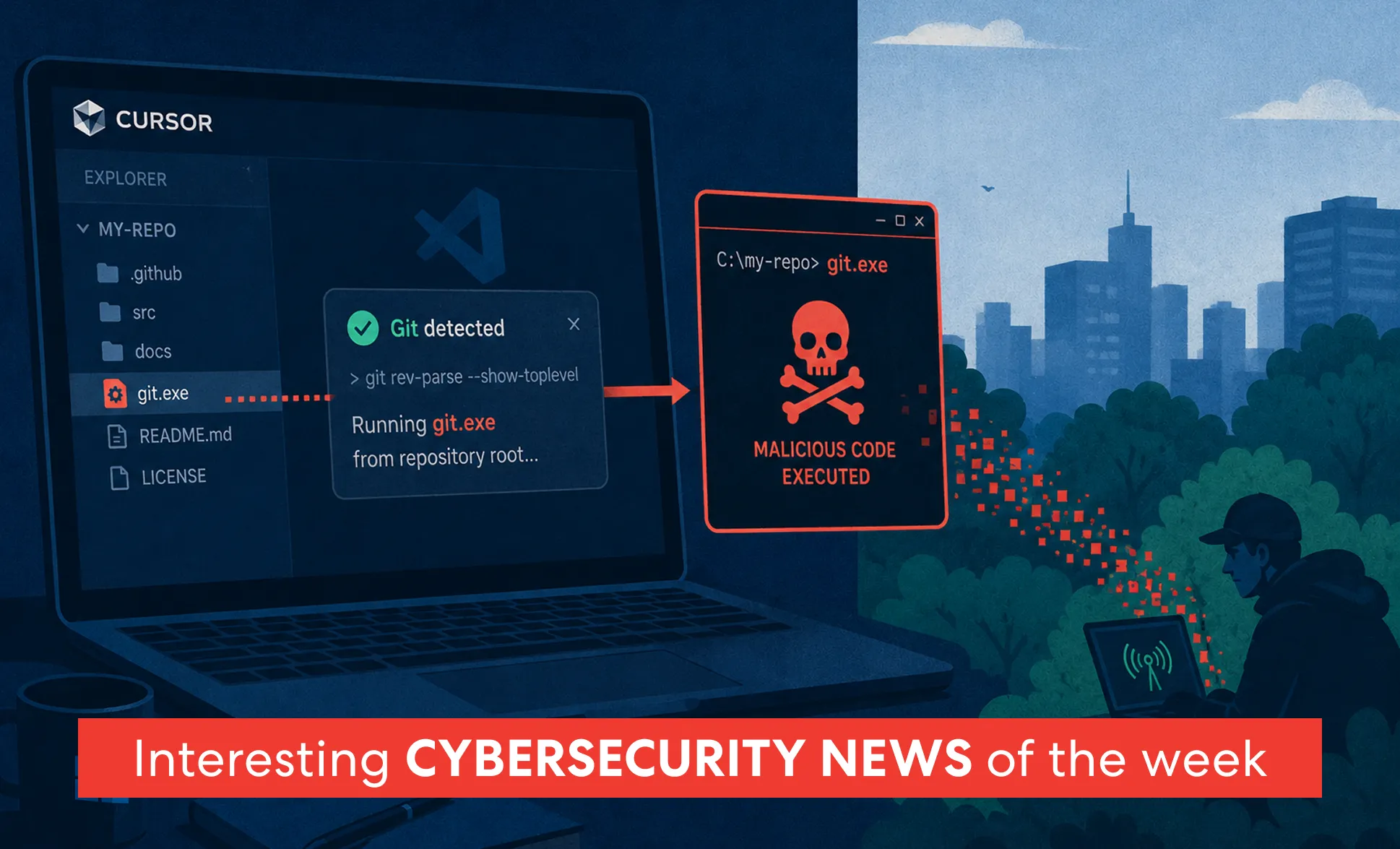
Cursor will automatically execute all files named git.exe in the repo root folder on Windows
Researchers disclosed an unpatched Cursor IDE vulnerability where opening a malicious Git repository on Windows can trigger automatic execution of attacker-supplied code under the current user account. The issue occurs because Cursor’s Git discovery can look in the workspace root, allowing a repo to supply a rogue git.exe that gets launched without prompts or clicks.This means that Cursor on Windows will execute any exe file named git.exe.
Key Details
- After the vulnerability was made public Cursor has said they have addressed this issue on July 13th but this has not been verified independently.
- Attackers can plant a malicious binary named git.exe in the repository root, which Cursor may execute during normal Git-resolution behavior when loading the project.
- Mindgard reported the issue to Cursor on Dec. 15, 2025 and went public about seven months later, citing lack of an effective vendor response and continued presence across many releases.
- Mindgard validated execution using Process Monitor showing Cursor.exe spawning the repo-root binary as part of a Git command (including a rev-parse –show-toplevel probe) and demonstrated repeated execution while the project remained open.
- Impact is code execution as the logged-in developer, meaning any malicious payload would run with access to that user’s local environment (e.g., source trees and developer credentials available in-session).
Next Steps
- Block repo-root executables like git.exe under developer workspace paths using AppLocker or Windows Defender Application Control path-based deny rules (path rules, not hashes).
- Open untrusted or newly cloned repositories only in isolation (Windows Sandbox or a disposable VM) until Cursor ships a fix/advisory.
- Use EDR policy to flag/block child-process launches from Cursor.exe to catch unexpected binaries executed from workspace directories.
Read more at Cybersecurity News, The Hacker News, SC World, Dark Reading, SecurityWeek
wp2shell WordPress core bug chain enables unauthenticated RCE via REST API batch endpoint
Researchers disclosed “wp2shell,” a WordPress core vulnerability chain where an anonymous POST to the REST API batch endpoint can be chained into SQL injection and remote code execution on affected versions. Core vulnerability means, that this exists in the barest of installations with no plugins installed. WordPress shipped fixes in 6.9.5 and 7.0.2 (and enabled forced auto-updates for affected branches), with public technical details and a working PoC accelerating exposure.
Key Details
- Affected/fixed versions split by bug: SQL injection impacts 6.8.0–6.8.5 (fixed in 6.8.6), while the full unauthenticated RCE chain impacts 6.9.0–6.9.4 (fixed in 6.9.5) and 7.0.0–7.0.1 (fixed in 7.0.2).
- CVE mapping: CVE-2026-63030 covers the REST API batch-route confusion used to reach vulnerable code paths unauthenticated; CVE-2026-60137 covers a WordPress core SQL injection that can be chained for code execution on the affected 6.9/7.0 versions.
- Core mechanism: the /wp-json/batch/v1 endpoint (also reachable via ?rest_route=/batch/v1) can desynchronize internal handling of batched sub-requests after an error, causing a request to be processed under the wrong handler and bypassing the batch allow-list checks described in the disclosures.
- Public exploitability increased quickly: after patches shipped, multiple third-party writeups described the full chain and a working proof-of-concept was published on GitHub, while Rapid7 noted authenticated checks for InsightVM/Nexpose were scheduled for July 20.
- Environmental condition noted by Cloudflare: the RCE path reportedly works only when a site is not using a persistent object cache (e.g., Redis/Memcached-backed object caching), though this is not a fix and does not eliminate the underlying SQL injection issue.
Next Steps
- Patch WordPress to 6.9.5 / 7.0.2 (or later)
- If you cannot patch immediately, block /wp-json/batch/v1 and rest_route=/batch/v1 at your WAF/reverse proxy (Cloudflare said it shipped WAF rules alongside disclosure).
Read more at The Hacker News, FullHunt, Rapid7, Searchlight Cyber, wp2shell, Patchstack
Claude Desktop bug let a single click auto-submit attacker prompts via claude:// links (fixed in v1.1.2321)
A flaw in Anthropic’s Claude Desktop meant that clicking a crafted claude:// link could open the app and automatically submit attacker-supplied prompts without user review or “send” confirmation. The issue (PromptFiction) showed how prompt injection can be delivered through desktop deep links and, when combined with Claude’s connected tools, could drive data access and downstream actions.
Key Details
- The desktop app accepted prompt text via a q= parameter in claude:// URLs and auto-submitted it, while the web app typically pre-filled the prompt but required the user to send it.
- Attackers could hide malicious instructions inside long prompts by placing benign text up front and pushing harmful directives into collapsed “show more” content using many line breaks.
- Oasis described exfiltration of prior Claude conversations by instructing Claude to collect chat history and upload it through Anthropic’s Files API using attacker-provided credentials (appearing in the attacker’s Anthropic account).
- With Anthropic’s Filesystem Server (MCP) enabled, injected prompts could influence later file writes, including inserting attacker-directed code into newly created/modified scripts and potentially persisting via accessible shell config files (e.g., .zshrc/.bashrc).
- Delivery could be disguised using an open redirect on claude.com to make a trusted-looking link ultimately resolve to a claude:// destination; Oasis said Anthropic addressed this delivery method.
Next Steps
- Update Claude Desktop to version 1.1.2321 or later, which changes claude:// behavior to pre-fill prompts but require user review and manual sending.
- Search for and block/strip claude:// deep links in high-risk channels (e.g., email, chat, internal docs) where feasible, especially in environments that use Claude Desktop broadly.
Read more at Dark Reading, Hackread
CrashStealer macOS infostealer uses Apple-notarized “Werkbit” dropper and a fake CrashReporter prompt to unlock Keychain
CrashStealer is a macOS infostealer that uses a signed, Apple-notarized dropper to pass Gatekeeper and masquerades as Apple’s CrashReporter. After launch it prompts for the user’s macOS password, validates it locally to unlock the login Keychain, then steals data from browsers, password managers, and crypto wallets before encrypting and exfiltrating it.
Key Details
- Distribution is via a disk image tied to werkbit[.]io and gated behind a meeting PIN, so the installer is only served to visitors with the correct code.
- The dropper and DMG were reported as notarized with a valid Developer ID: “Emil Grigorov (WWB7JA7AQV)”.
- The malware creates persistence via a LaunchAgent and imitates Apple branding (e.g., CrashReporter.app and a helper LaunchAgent name) to appear legitimate.
- Exfiltration was reported to an attacker-controlled server at 179.43.166[.]242, with collected data packaged and encrypted (AES-GCM) before being sent out.
- Malwarebytes detection name: MacOS.Stealer.Crash.
Next Steps
- Block and hunt for network connections to werkbit[.]io and 179.43.166[.]242 in DNS/proxy/firewall and EDR telemetry.
- Be skeptical of “CrashReporter” downloads. Apple’s crash‑reporting tools ship with macOS, so no-one should ever need to download a separate CrashReporter app from a third‑party site.
Read more at Malwarebytes, The Hacker News
148 npm “student proxy” packages quietly turned site visitors into a browser-based DDoS botnet
Researchers found 148 npm packages posing as student web proxy sites that used visitors’ browsers to generate DDoS traffic via remotely changeable scripts for roughly two weeks in May 2026. Unlike typical npm malware that triggers on install, this campaign abused npm as hosting for a booby-trapped web app, activating in the browser when users opened the proxy pages.On the surface, the proxy worked, letting students slip past content filters to reach games and blocked sites. Underneath, it loaded a remote code loader whose payload the operators could swap at will, plus a WebSocket flood generator built to speak the Wisp proxy protocol. Anyone who opened a page joined the swarm without knowing it.
Key Details
- The proxy app (“Lucide,” branded as “Riverbend Tutoring” / “Northstar Tutoring”) loaded a remote script loader (“G2”) that executed unpinned JavaScript from GitHub via jsDelivr without SRI, letting operators change payloads without publishing new packages.
- Archived payloads showed an HTTP flood that POSTed a 1,000,000-character body every 500 ms to cdn.caan.edu (identified as a nursing school’s public domain), using randomized query strings and no-cors requests that don’t wait for responses.
- JFrog’s timeline reconstruction indicates the project started as adware in March, added the DDoS modules in mid-May, then removed them on May 31 as reporting began; a July 8 second wave raised the distribution to 148 packages while retaining the ability to “re-arm” via the mutable remote loader.
Read more at The Hacker News
Google open-sources Mantis “skills” to orchestrate AI-driven security reviews, with strong warnings to run only in isolated sandboxes
Google published Mantis, a set of portable “skills” for coding agents that structures an end-to-end security review flow—from threat modeling to PoC reproducers and patch attempts—intended as a customizable starting point for organizations. It repeatedly warns that the suite can generate and execute unstable AI-written code and must only run in isolated, restricted environments with human verification of findings.
Key Details
- Mantis is designed as a sequential pipeline of slash-command stages (e.g., architecture synthesis, threat modeling, scanning, dedupe/review, repro, chaining, patching, calibration, reporting).
- Setup guidance suggests using containers and stronger isolation like gVisor (runsc), including running generated reproducers with networking disabled (e.g., “–network none”).
- The project emphasizes human-in-the-loop “Interactive Mode” and explicitly cautions against auto-approval flags (e.g., “–yolo” / “–dangerously-skip-permissions”).
- It notes LLM non-determinism and false positives, recommending negative filters in the review stage and starting with narrow scopes before sweeping entire repositories.
- For always-on operation, it points to a hardened unattended Google Compute Engine deployment guide to mitigate risks like prompt injection.
Next Steps
- Install and test the skills in a non-production workspace using npx skills add google/mantis.
- If you trial it, enforce a “no host-run” rule: run /mantis-reproduce and /mantis-patch only inside a dedicated sandboxed VM/container with networking disabled.
Read more at GitHub
Nearly 300 fake GitHub repositories impersonate popular tools to distribute BoryptGrab-lineage infostealer
A campaign published hundreds of GitHub repositories that impersonate legitimate software and security projects, using README “download” links to funnel victims to malicious GitHub Pages-style landing sites. The downloads ultimately run a legitimate updater to side-load a trojan DLL, executing an infostealer in-memory to steal browser, crypto wallet, and app session data.
Key Details
- Arctic Wolf identified 292 fake repositories, after seeing one of its products impersonated starting June 26.
- The repos direct users to landing pages with spoofed trust signals (e.g., “Download Secure Content” buttons and fake badges), built from a single reused HTML/JS template across brands.
- The landing pages serve a rapidly rotating ZIP payload (changing roughly every minute) that includes a trojanized libcurl.dll and a legitimate signed WinGUP updater renamed to match the impersonated product.
- The stealer targets data from 19 browsers and 32 cryptocurrency wallet brands, plus items like Telegram sessions, Discord tokens, Steam session tokens, Windows Credential Manager data, and selected Desktop/Documents files.
- Arctic Wolf noted a previously undocumented capability to bypass Chrome App-Bound Encryption via direct code injection into the browser process; stolen data is compressed and sent to a Russia-based C2 server.
Next Steps
- Use Arctic Wolf’s shared resources to hunt for and detect this BoryptGrab-lineage activity with their YARA rule and IoCs: http://github.com/rtkwlf/wolf-tools/tree/main/threat-intelligence/fake-github-repositories-deliver-boryptgrab-lineage-infostealer/
Read more at BleepingComputer, Reddit
OAuth client ID spoofing lets attackers validate Microsoft Entra credentials using AADSTS error responses while evading app-based detections
Proofpoint reported multiple large-scale campaigns in Microsoft Entra ID where attackers send authentication requests with fake OAuth client IDs and then use AADSTS error responses to confirm valid usernames and, in some cases, working passwords without a successful sign-in. Because sign-in logs may show an application ID with no app name (or missing app fields), the activity can slip past detections that correlate suspicious logins by application identity.
Key Details
- The technique relies on Entra returning distinct AADSTS codes such as AADSTS50126 (valid username/wrong password), AADSTS50034 (invalid username), and AADSTS700016 (credentials valid but client/app ID not recognized); attempts involving nonexistent accounts may not appear in Entra sign-in logs.
- Proofpoint tracked UNK_pyreq2323 (starting Jan 2026) testing 1M+ accounts across nearly 4,000 tenants using 700,000+ spoofed client IDs, with traffic observed from AWS and a python-requests/2.32.3 user agent.
- A second cluster, UNK_OutFlareAZ (starting Dec 2025), targeted 2M+ users and generated ~3.7M spoofed application IDs, primarily via Cloudflare infrastructure, using a newly generated UUIDv4 client ID per request.
- In sign-in telemetry, spoofed client IDs can result in application ID present but application name blank (or both fields empty if malformed), weakening rules that detect spikes or abuse tied to a specific application.
Next Steps
- Tune Entra monitoring to flag sign-ins with missing application name / absent application information paired with AADSTS error patterns (e.g., 50126/50034/700016) and unusual request volume or repeated targeting of the same users.
Read more at The Hacker News, Hackread
Stalkers misuse Chrome Sync by adding their own Google account during brief device access to mirror victims’ browsing (and potentially passwords)
Researchers report cyberstalkers using Chrome’s built-in sync as a surveillance tool by briefly accessing a victim’s device to add an attacker-controlled Google account and enable Sync. Once enabled, Chrome can mirror the victim’s browsing activity to the attacker’s account, and if the victim later saves passwords while that account remains synced, those credentials may also become accessible through the synced data.
Key Details
- The attacker doesn’t need the victim’s Google credentials—they sign Chrome into their own account on the victim’s device, so any sign-in alerts go to the attacker’s email rather than the victim.
- Certo says it has received a growing number of reports of this technique, framing it as part of a shift away from traditional stalkerware as modern mobile OS protections make spyware harder to deploy.
- The method works across Android, iOS, Windows, and macOS because Chrome uses the same synchronization model on these platforms.
- Chrome may not prominently notify users when a new account is added or Sync is enabled, making it easy for victims to miss that an unfamiliar account is linked.
- Certo recommends product changes from Google, including temporary notifications when a new account is added or Sync is turned on, plus a persistent indicator showing which account is currently syncing.
Read more at CyberScoop, CyberInsider
Jesta open-sources a self-hosted honeytoken platform that alerts on “credential reads,” not logins
Jesta released Thumper, a self-hosted honeytoken platform that plants fake-but-realistic credentials across endpoints and alerts as soon as an attacker-controlled process reads them. The tokens don’t authenticate to anything. Thumper treats any access to the bait as the detection signal and forwards events to configured alerting integrations.
Key Details
- Thumper is designed to place tripwires where the Shai-Hulud npm supply-chain worm reportedly scans, so a “read” becomes an early warning signal.
- The system ships as three components (server, dashboard, endpoint agent) packaged as a single Docker image for deployment.
- Endpoint agents plant unique bait per machine and send a signed callback when a credential is read, which the server then routes to alert plugins.
- Thumper supports a plugin model for both alerting and deployment (directories under plugins/{alert,deploy} with a manifest and Python plugin), surfaced in the UI with generated configuration forms.
Next Steps
- If you want tripwire-style detection, evaluate deploying Thumper via the provided Docker Compose or Helm chart and validate alert delivery through your preferred alert plugin/integration.
Read more at GitHub
Microsoft Entra ID will default users to passkeys starting Sept. 1, 2026, and retire built-in SMS/voice MFA delivery on Feb. 1, 2027
Microsoft will make passkeys the default authentication experience in Entra ID starting September 1, 2026, automatically enabling eligible users and prompting passkey registration at their next MFA sign-in. On February 1, 2027, Microsoft will retire its native SMS and voice telecom delivery, shifting any continued SMS/voice needs to third-party telecom partners via the Microsoft Security Store and removing an opt-out for organizations that still rely on SMS/voice today.
Key Details
- Rollout applies to public cloud-hosted Entra ID; Microsoft said other cloud environments will follow a separate timeline with additional guidance later.
- Sept. 18, 2026: Microsoft will publish supported telecom providers plus pricing/commercial terms for organizations that still need SMS/voice due to regulatory, technical, or operational constraints.
- Oct. 30, 2026: organizations still using SMS/voice must select and configure a supported telecom provider through the Microsoft Security Store and will be responsible for telecom-related costs.
- Microsoft Threat Intelligence observed AI-enabled phishing campaigns with click-through rates as high as 54% (vs. ~12% for more traditional campaigns), which Microsoft cited as a driver for moving to phishing-resistant authentication.
- Entra ID supports both synced and device-bound passkeys, including platform-synced passkeys (for example via iCloud Keychain or Google Password Manager) and device-bound options such as Microsoft Authenticator passkeys, Entra passkey on Windows, or FIDO2 security keys.
Next Steps
- Inventory users/groups still enabled for SMS or voice MFA by reviewing your Entra authentication method policy, so you know who will be auto-enabled and prompted to register passkeys during the rollout.
- Decide which passkey types you will standardize on (synced vs. device-bound/FIDO2) based on device/workflow fit, and document enrollment and recovery procedures before the September 1, 2026 nudges begin.
- If SMS/voice must remain for specific populations, plan to contract a supported telecom partner via the Microsoft Security Store ahead of the Oct. 30, 2026 deadline so service continues after Feb. 1, 2027.
Read more at Microsoft Security Blog, CSO Online
South Korea plans a security-focused sovereign AI model to rival Anthropic’s Mythos after access blocks
South Korea says it is building a security-centric AI model to provide sovereign bug-finding capability comparable to Anthropic’s Mythos. The effort is being positioned as a response to prior US actions that blocked or restricted Mythos access, raising concerns that access to powerful security models can be denied across borders.
Key Details
- Deputy Prime Minister/Science and ICT Minister Bae Kyung-hoon said the model is intended to rival Anthropic’s Mythos as a bug-finding system.
- The US government has twice led to access limits on Mythos: once when Anthropic was required to offer it only to American citizens, and later when it was ordered to take down services during an investigation into alleged performance problems.
- South Korea’s approach is to add security-related information to the training corpus of a locally developed frontier model rather than start from scratch.
- Bae said he expects the security-capable model to debut by the end of 2026.
- In parallel, the government has sought bids for a free-to-residents chatbot and an agentic app to help people interact with government services.
Read more at The Register
AI model built a working Chrome exploit chain by reverse-engineering public V8 security patch commits
In a Hacktron-led test, OpenAI’s GPT-5.6 Sol Ultra reportedly constructed a complete, working Google Chrome exploit chain using only publicly available V8 security-fix commits. The result demonstrated end-to-end exploitation (V8 primitives → sandbox escape → code execution), suggesting patch-diff analysis can be operationalized into weaponization workflows when sufficient compute is applied.
Key Details
- Hacktron provided models the V8 source tree at 14.9.207.35 (Chrome 149.0.7827.201) plus a sandboxed d8 build for local testing.
- Only Sol Ultra completed the full chain; Grok 4.5 and Sol Medium reportedly stalled after initial memory leaks.
- The exploit path described by the article followed a standard browser chain: V8 sandbox primitives → sandbox escape via native address leaks → program-counter control.
- The article attributes the initial V8 foothold to a Maglev type-confusion bug (missing map check in an inlined array iterator), then escalating through additional bugs including a WebAssembly NativeModule use-after-free to reach code execution.
- Hacktron’s blog (as cited) claims Sol Ultra used
2.1B tokens across 14,062 requests ($1,597) and spawned 74 sub-agents, with the “root agent” surviving repeated context compactions while maintaining strategy.
Next Steps
- Treat browser “N-day” fixes as high priority: accelerate rollout of Chrome updates (and embedded Chromium runtimes) as soon as V8 security patches ship.
- Where feasible, tighten controls around patch-diff visibility and internal proof-of-concept handling so exploit-development artifacts aren’t broadly accessible before deployment completes.
Read more at Cyber Security News
DPRK “Contagious Interview” campaign hides OtterCookie-aligned malware inside SVG flag images shared via Slack coding tests
Elastic observed DPRK-linked “Contagious Interview” operators using fake job posts and take-home coding challenges to trick developers into running a trojanized project where the malware payload is hidden as Base64 fragments inside comments in seemingly normal SVG flag images. Running the project deploys a multi-stage OtterCookie-aligned toolkit that steals browser/crypto-wallet data and establishes Socket.IO-based remote access.
Key Details
- Initial access was a job lure posted in Elastic’s community Slack (#jobs), with recruiters moving targets into DMs and sharing a “coding challenge” GitHub-style repository to execute.
- The repository contains functional, legitimate-looking code, while the malicious logic runs silently in the background to reduce suspicion during evaluation.
- The SVGs are used as a payload container: Base64-encoded fragments are spread across multiple country-flag SVG files and then reassembled by a JavaScript component in the project.
- The delivered capability set includes four modules: browser credential/crypto-wallet theft, targeted file theft, a Socket.IO-based RAT for command execution/persistence, and clipboard theft.
- Elastic tracks this activity as REF9403 and notes the infection chain is a newly documented variation for this campaign, underscoring continued developer targeting through public community platforms (e.g., Slack) rather than only traditional phishing.
Next Steps
- Only run code from job interviews in isolated VMs.
Read more at Elastic, The Hacker News
AWS Security Hub adds native Microsoft Azure monitoring plus new GuardDuty protections for AI cost-harvesting abuse
AWS announced that Security Hub can now natively discover and monitor Microsoft Azure resources alongside AWS findings, aiming to unify multicloud security posture and prioritization in one workflow. AWS also rolled out new AI-focused protections in GuardDuty and a Security Hub AI Inventory to detect suspicious foundation-model usage and improve visibility into AI assets.
Key Details
- Azure coverage is generally available and includes discovery/monitoring of Azure Virtual Machines, container images, Function Apps, and identities, with checks aligned to the CIS Microsoft Azure Foundations Benchmark.
- Security Hub evaluates Azure assets for misconfigurations, software vulnerabilities, and internet exposure, and normalizes Azure findings into the same format/workflows used for AWS findings.
- Amazon GuardDuty AI Protection is designed to detect “cost harvesting”—credential theft used to run expensive model inference—by analyzing CloudTrail data events for anomalous model invocations in Amazon Bedrock and Amazon SageMaker (GA with a 30-day free trial).
- GuardDuty also adds AI-powered investigations (preview) that use AI agents to automate investigation context and produce a disposition with confidence scoring, MITRE ATT&CK classification, evidence, and recommended actions.
- Security Hub AI Inventory is generally available at no extra cost, using AWS Config for managed services (for example, Bedrock and SageMaker) and runtime analysis to identify self-hosted/external models on EC2, ECS, and EKS and map them to underlying infrastructure.
Next Steps
- If you use both AWS and Azure, enable Security Hub’s Azure monitoring integration and validate that Azure findings are flowing into the same prioritization and response workflows you use for AWS.
- For teams running Bedrock/SageMaker, turn on GuardDuty AI Protection (use the 30-day trial) and set response runbooks for anomalous model invocations indicative of cost-harvesting.
Read more at AWS Security Blog, SiliconANGLE
White House launches ‘Gold Eagle’ AI vulnerability clearinghouse, run by Treasury, with VINTS platform already ingesting reports
The Trump administration launched Gold Eagle, a federal clearinghouse designed to use AI-driven vulnerability discovery to rapidly validate, prioritize, and coordinate patching across government, critical infrastructure, and participating industry partners. The program is housed at the Treasury Department and uses a new intake and coordination platform (VINTS) to collect third‑party reports and share remediation information without leaking sensitive vulnerability details.
Key Details
- Created by a White House executive order issued last month, Gold Eagle is described as a voluntary collaboration intended to “deconflict” duplicate scanning and coordinate remediation and patch distribution.
- Treasury manages the effort with support and contributions cited from CISA/DHS, DoD (including NSA involvement referenced in reporting), critical infrastructure operators, and open-source software providers/maintainers.
- The clearinghouse uses a Carnegie Mellon SEI-developed platform called Vulnerability Information and Coordination Environment (VINTS) for intake, validation, prioritization, and coordinated disclosure/remediation workflows.
- Officials said closed-source frontier AI models (including Anthropic’s Mythos) will be used to help discover vulnerabilities, alongside industry/government engineering teams that triage and fix them.
- Administration officials tied the initiative’s legal footing to the CISA 2015 Act and warned reauthorization is needed (the law was described as expiring in September in reporting).
Read more at The White House, SecurityWeek, Socket, CSO Online, CyberScoop, The Record, Dark Reading
OpenAI investigates GPT-5.6 Codex file deletions tied to Full-Access mode and unsafe temp-directory handling
OpenAI confirmed a small number of incidents where GPT-5.6 (Codex/Sol) deleted user files without authorization, including reports of widespread local file loss and a production database deletion. The issue appears to occur when the agent is run with full filesystem permissions without sandboxing/Auto-review, and it mis-handles temporary-directory setup by mistakenly targeting the user’s home directory for deletion.
Key Details
- OpenAI’s Codex team said the failure mode most often involves overriding the $HOME environment variable for a temporary workspace and accidentally deleting $HOME instead.
- OpenAI linked the incidents to setups lacking protective controls like filesystem sandboxing and Auto-review (a gate that can reject high-risk actions before execution).
- Public reports cited in coverage included one user claiming “almost ALL” Mac files were deleted and another saying the model deleted a production database.
- OpenAI’s GPT-5.6 model documentation notes that compared with GPT-5.5, misalignment simulations showed GPT-5.6 ‘Sol’ taking more “severity level 3” actions, a category that explicitly includes unapproved data deletion.
Next Steps
- If you use Codex/agentic coding tools, avoid Full-Access runs outside a sandbox; prefer containers/VMs or tightly scoped project directories and enable Auto-review where available (see OpenAI docs: https://learn.chatgpt.com/docs/sandboxing/auto-review).
- Add an approval gate so destructive commands (e.g., recursive deletes, drops/teardowns) require explicit human review, especially when paths involve HOME, mounted volumes, or broad directories.
Read more at Cyber Security News, The Register
Subscribe
Subscribe to receive this weekly cybersecurity news summary to your inbox every Monday.