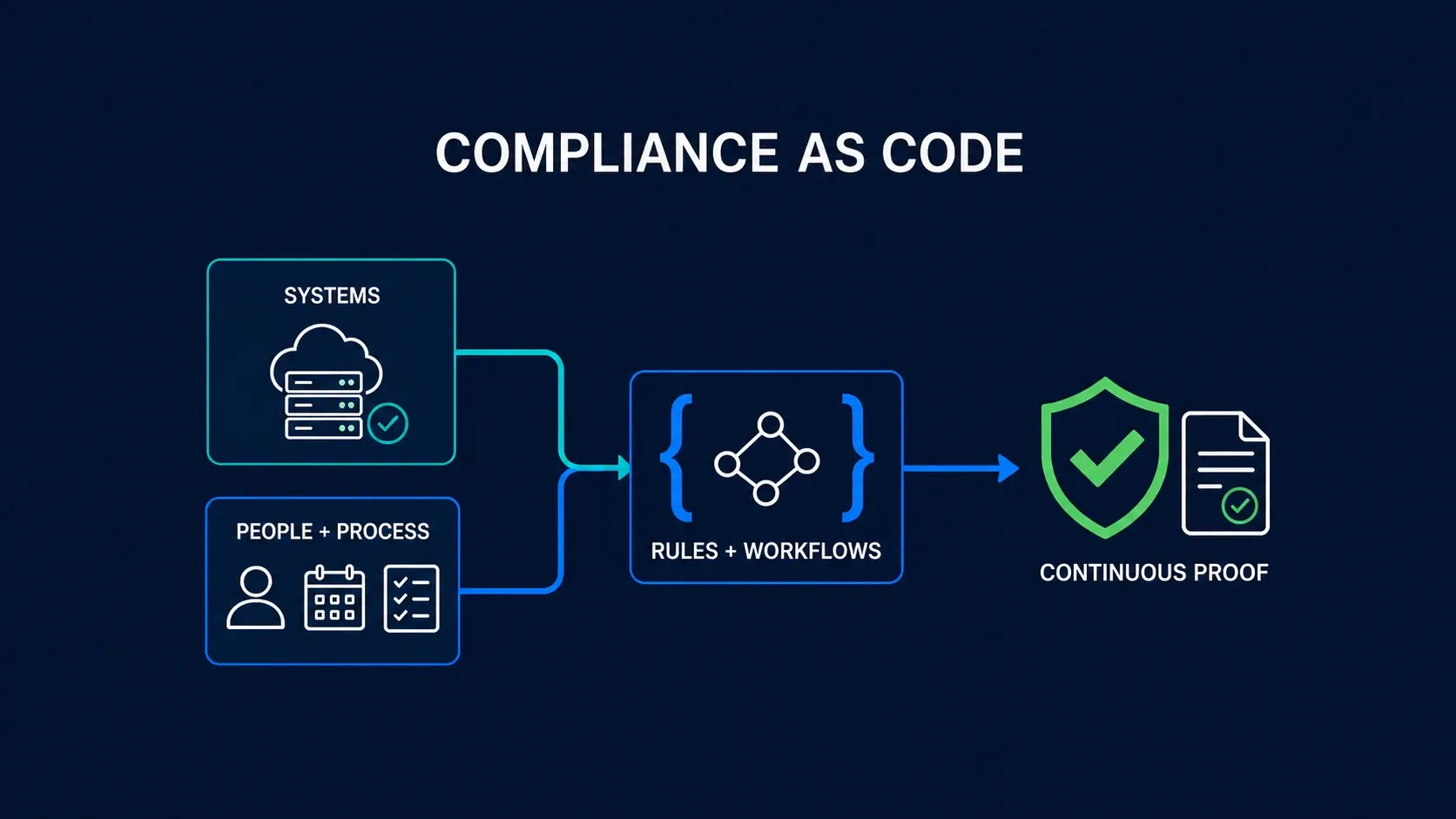
Compliance as code means keeping compliance requirements somewhere a machine can act on them. It tracks whether you’re meeting them as you go, instead of you piecing it together by hand across a dozen tools.
What can be done with compliance as code depends on the requirement. If the requirement comes down to a property of a running system, such as whether this bucket is public or this database has encryption at rest, it can be evaluated outright. If the requirement comes down to human activity or judgement, such as a risk assessment performed or a supplier reviewed before onboarding, no machine will ever evaluate it (or at least it shouldn’t). But automation can still alert you when the work is due, assign it to the right person, hold the evidence, and base your compliance status on whether that work got done.
Almost all the attention goes to the first: it’s what compliance automation tooling is built for, and what people usually mean by “compliance on autopilot”. It’s also the easy half. Automating the second is harder, but a lot of it is winnable, some of it quickly. This post is about which parts, and how.
Automating technical checks
The checks worth automating are the ones whose answer can change without anyone telling you. Configuration drifts as people ship, joiners and leavers move through the company, and something you verified in January is only a claim by March. Running the check continuously is how you find out in between.
Ideal candidates also often have tens if not hundreds of “things” that need to conform and ideally should be checked. Manually it would take ages, but an automation can do it at scale.
- Configuration check for employee devices, read from the EDR or MDM agent: disk encryption on, automatic lock after inactivity, agent alive and reporting etc.
- A standard configuration across all repositories in GitHub or GitLab: protected main branch, merges approved by someone other than the author, secret scanning switched on
- MFA configuration check for IdP in your SSO: MFA enforced, no accounts belonging to people who have left, admin rights held by the few who need them
On the other hand, there are also things that could be possibly automated but the effort might not be worth it.
- Guest WiFi isolated from the corporate network: one setting, in one office, on one controller.
- The DMARC policy on your primary email domain: one DNS record, changed when you move mail providers and otherwise never.
Automating things like these definitely can save time and help you scale quality - since you’ll be able to check more frequently and won’t be limited only to a sample of a full population of devices, accounts etc.
You might disagree with some these, and that’s the point. Your program and program automations should come from your organisation’s risk levels and needs.
Automating parts of the management system
The platforms sold as compliance on autopilot ship their own library of best-practice controls and check continuously that yours hold, through integrations with your cloud, identity provider and HR systems. They cover a fair number of framework requirements, and satisfy some fully.
But no platform gets you full coverage out of the box. Every company is different, so you’ll need to fine-tune the checks that ship by default and add your own. And even then, technical checks alone won’t cover an entire information security framework.
That’s because these frameworks don’t only describe configuration: they also mandate what governance and management of the program should look like. That means making sure humans do and assess things at a certain cadence, with evidence that they did:
- Regular risk reviews
- Internal audit programmes
- Review of the suitability of existing controls, and design of new ones
Making sure these happen on schedule is, in some ways, more boring than the technical checks, but it often has a bigger impact on the health of the program than the technical checks do.
For true automation, you need a system that makes sure the right humans do the right things at the right time. For example:
- Each control is reviewed, and potentially redesigned to stay suitable for the organisation’s needs, once a quarter
- Each control is audited once a quarter, to confirm it’s functioning as designed
That means each control needs one person responsible for managing it, with a task and reminder triggered automatically for the review and redesign. Internal audits also require segregation of duties: a different person auditing that the control is actually functioning and that the evidence produced is suitable.
At minimum, that requires three things:
- A place to store controls and the people responsible for designing, reviewing and auditing them
- A place to coordinate the work: tasks, schedules
- A place to store evidence, ideally connected back to the control it proves
Once you have that, you can automate the governance side too: creating tasks in a ticketing system when something needs reviewing, and sending reminders when something’s overdue.
Control implementation status can then be automated as well, tied to the results of both automated checks and the work humans do. If anything is overdue or fails, the control gets marked as failing, and the same mechanic can alert the right people when asset, risk and vendor reviews come due.
Where Kordon fits
Kordon is built to be that place: a single source of truth where the results of all your compliance as code scripts get stored, as part of the same system of record and system of engagement for your ISMS. The programme lives there as connected objects — requirements, controls, risks, assets, vendors, business processes, findings and tasks — and every one of them is addressable over a REST API that covers everything the interface does, with an official n8n node for teams who would rather wire the workflow visually than write against the API.
That’s what your checks write into:
- A check that passes closes its task and leaves its output as evidence on the control it was written for.
- A check that fails opens a finding against the same control, assigned to whoever owns it.
The result lands on the object it says something about, and stays connected to it.
The human half runs on the same objects. Controls carry recurring tasks with named owners, and tasks come in three types:
- Maintenance: the work itself
- Review: someone has to record a verdict
- Audit: the formal evaluation, where a Not OK moves the control to failing immediately
So does a task nobody completed by its due date.
A failing control stops counting. The risks it was mitigating go back to their unmitigated scores, and the requirements it was covering lose that coverage until the work is done and the next audit passes. Nobody sets that status; it follows from what did and didn’t happen. Kordon models ISO 27001, SOC 2, NIS2 and E-ITS, which is where the share of obligations that work this way is largest.
That’s compliance as code for the half a scanner can’t see. See how GRC engineering works in Kordon.
Common questions