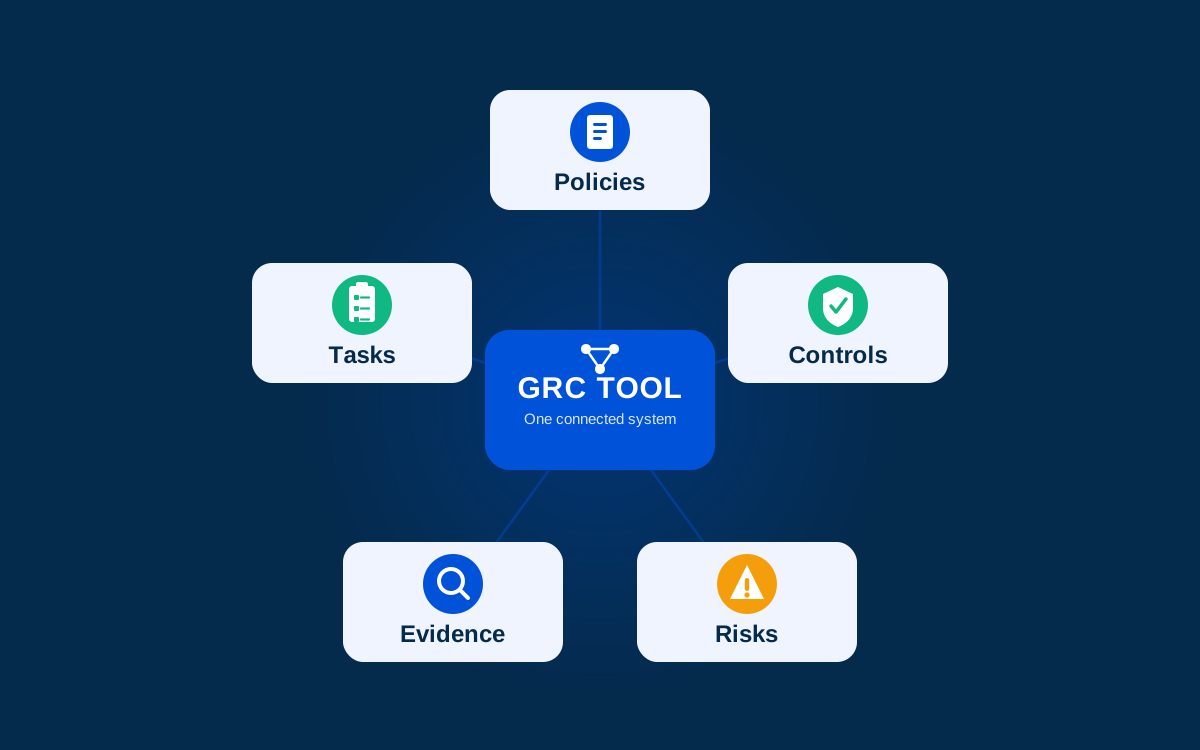
A GRC tool is software that brings governance, risk management, and compliance work into one connected system — policies, controls, risk registers, audit evidence, and the tasks that keep all of it current. Instead of a security team tracking requirements in one spreadsheet, risks in another, and control evidence in a shared drive, a GRC tool links those pieces together so a change in one place shows up everywhere it matters.
That’s the textbook version. In practice, “GRC tool” covers products built for very different companies — an enterprise risk platform built for a 5,000-person insurer has almost nothing in common with a lightweight compliance tool built for a 40-person startup chasing SOC 2, beyond the three letters in the name. Before comparing GRC software, it helps to know which category you’re shopping in.
GRC Tool, GRC Software, GRC Platform — Same Thing?
Functionally, yes. “GRC tool,” “GRC software,” and “GRC platform” get used interchangeably in vendor marketing, analyst reports, and search results alike — none of the three terms points at a meaningfully different product category. If there’s a pattern at all, “platform” leans slightly toward emphasising breadth and connectivity (more object types, more integrations), while “tool” sometimes implies something narrower. In practice the distinction rarely holds up vendor to vendor, so it’s not worth optimising your search around one term over the other.
What a GRC Tool Actually Does
At minimum, a GRC tool should let you:
- Map your controls to the requirements of one or more frameworks (ISO 27001, SOC 2, NIS2, and similar)
- Maintain a risk register and connect risks to the controls that mitigate them
- Turn controls into recurring, assigned work with a named owner and a due date, so nothing drifts silently between audits
- Collect and store evidence that ties a specific date and outcome to a specific control
- Give an auditor a way to see all of that without a week of email back-and-forth
A spreadsheet or a shared drive can technically hold all of this information. What it can’t do is connect it — show which risks a specific control mitigates, which requirements that control satisfies, or whether the task behind it ran last quarter. That connection, more than any single feature, is what separates a GRC tool from a folder of compliance documents.
Is Jira a GRC Tool? Is ServiceNow?
Neither, on its own — and this comes up often enough to answer directly.
Jira is a work tracker. You can build a GRC process on top of it (tickets for control reviews, a project for audit prep), but Jira has no concept of a risk, a control, or a requirement as connected objects. Every relationship between them has to be recreated by hand, in labels or custom fields, and maintained manually as the program grows.
ServiceNow is closer, but the distinction matters: its IT Service Management (ITSM) product handles IT tickets, and companies already running it for ticketing sometimes assume the GRC capability comes bundled in. It doesn’t. ServiceNow’s actual GRC product (Integrated Risk Management, built on the same platform) is a separate purchase and a separate implementation, and it belongs in the enterprise category below.
The pattern generalises beyond these two: a tool that manages tickets about compliance work is doing a different job than a tool that models the compliance program itself — its risks, its controls, its requirements, and the relationships between them.
The Three Types of GRC Tools
Most GRC software on the market falls into one of three categories, and the differences between them matter more than any individual feature comparison.
Enterprise GRC / IRM Platforms
Examples: ServiceNow IRM, Archer, MetricStream
Built for large organisations (often regulated industries like insurance, banking, or healthcare) with dedicated GRC teams, complex org structures, and risk programs spanning multiple business units. These platforms are comprehensive, highly configurable, and priced and implemented accordingly: expect a multi-month rollout and a dedicated administrator. A 30-person startup evaluating one of these is almost certainly looking at the wrong category.
Cloud Compliance Automation Platforms
Examples: Vanta, Drata, Hyperproof, Kordon
Built for companies pursuing specific security certifications (SOC 2, ISO 27001, and similar) with lighter implementation and continuous evidence collection from cloud infrastructure. This is the category most fast-growing SaaS companies land in, and it’s grown the most over the last five years as “SOC 2 to close enterprise deals” became a standard milestone. Products in this category vary in how prescriptive versus flexible they are, and in whether they support only cloud deployment or also on-premises use. Check this closely if data residency or hosting policy is a constraint for you.
Open-Source and Free GRC Tools
Examples: Eramba, SimpleRisk
Self-hosted, community-maintained, and free at the core, with paid tiers for support or advanced features in some cases. A realistic option for teams with the engineering capacity to run and maintain the software themselves, or for organisations that need full control over where the data lives and would rather not pay for a vendor-hosted product.
Comparing GRC Tools at a Glance
| Enterprise IRM | Compliance Automation | Open-Source | |
|---|---|---|---|
| Best fit | Large, regulated organisations | Startups/scale-ups pursuing certification | Teams with engineering capacity |
| Typical rollout | Months, dedicated admin | Weeks | Depends on your team |
| Deployment | Vendor-hosted; on-prem options vary | Mostly cloud-only | Self-hosted |
| Pricing model | Enterprise contract | Per-employee or per-framework SaaS | Free core / paid support |
| Examples | ServiceNow IRM, Archer, MetricStream | Vanta, Drata, Hyperproof, Kordon | Eramba, SimpleRisk |
So, Which Is the Best GRC Tool?
There isn’t one — “best” depends on which column of that table describes your organisation, which is a more useful question than any ranked list. A tool built for a 3,000-person bank will be over-built and over-priced for a 40-person startup, and a lightweight compliance-automation tool will run out of runway fast inside a multinational’s enterprise risk program.
Given that, the questions worth asking are less “which GRC tool is #1” and more:
- How many people will use this day to day, and how technical are they?
- Does the tool need to support one framework or several, and will that change within the next year or two?
- Does data need to stay in a specific location or infrastructure?
- Do you want a vendor-configured system, or one you can shape yourselves?
How to Choose a GRC Tool
- Start from your framework requirements before the feature list. If ISO 27001 and SOC 2 are needed now and NIS2 next year, confirm the tool can map one control to multiple frameworks without duplicating the work.
- Check who has to use it. A tool only the security team can operate turns compliance into a bottleneck — the more a platform lets control and risk owners self-serve, the less that team spends chasing evidence by hand.
- Confirm the deployment model matches your constraints. Cloud-only works fine for most SaaS companies; regulated or public-sector organisations should confirm on-premises or self-hosted options exist before settling on a UI they like.
- Ask how the tool proves a control is working, not just documented. A control marked “implemented” because someone wrote a policy is a different thing from one backed by a completed task and evidence from this quarter.
- Price the real rollout, not just the license. Enterprise IRM platforms often carry hidden implementation costs; open-source tools carry hidden engineering time. Neither shows up on the pricing page.
Where Kordon Fits
Kordon sits in the compliance automation category, built for lean security and compliance teams rather than dedicated enterprise risk departments — closer to Vanta or Drata in who it serves, with two differences worth knowing if you’re comparing.
It’s API-first and connects the whole program, not just controls. Requirements, controls, risks, assets, vendors, business processes, and findings are all connected objects rather than separate modules — a control can mitigate a risk and satisfy a requirement at once, and the same evidence proves both. Every object and relationship is available over the API, which is what lets teams treat GRC engineering as an actual discipline instead of a manual export-import exercise. Read more on how that works →
It supports both cloud and on-premises deployment, and covers frameworks beyond the usual SOC 2/ISO 27001 pair (including NIS2 and Estonia’s E-ITS baseline), which matters for European or public-sector organisations, since most compliance-automation tools built for US SaaS companies don’t reach that far. More on deploying Kordon on-premises →
Where it doesn’t fit: enterprise IRM. It isn’t built to replace Archer inside a multinational bank’s risk department, and organisations past a few hundred people with a dedicated risk function spanning multiple business units are better served by the enterprise category above.