Traditionally, when we talk about UX, we mean things a designer has touched: interfaces, flows, onboarding wizards. The experience of a human navigating a product with their hands and eyes.
That definition is no longer complete.
AI agents (systems that plan, decide, and complete tasks autonomously) now interact with software through APIs. They usually don’t see your landing page or read your hero section or click a button rendered in JavaScript. The surface they encounter is your API, your documentation, and the tooling around credentials and access.
API UX is now product UX. And we need to start actively design it for the agents.
The first impression that doesn’t happen in a browser
When I looked into switching our AI agents from the OpenAI API to Gemini, the decision suprisingly came down to onboarding not features or pricing.
For OpenAI it was very straightforward: create a developer account, click “create API key.” Done in under two minutes.
For Gemini at the time: create a GCP project, navigate to API & Services, enable the specific API, then create credentials. Confusing enough that I gave up halfway through.
When fact checking for this post I found out this has changed. But the first impression had already made the decision and all our agent token spend went to OpenAI because getting started had loss less friction than Gemini.
This is the new first impression — not your hero section or your onboarding email, but the moment a developer or AI tries to get a credential and connect for the first time. If that experience is unclear, the decision gets made right there.
API key management was designed for a pre-agent world
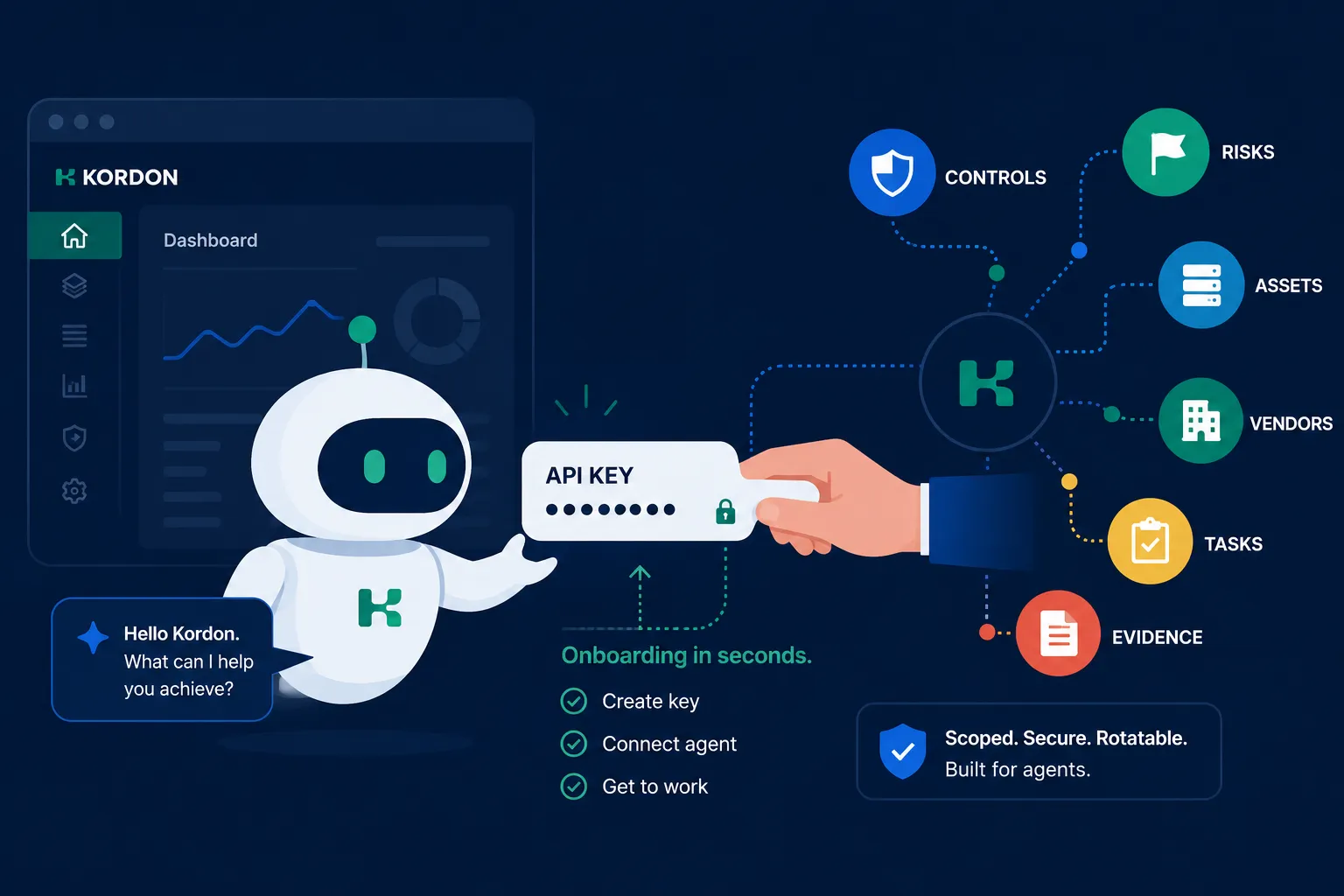
At Kordon, we use Claude Code extensively for GRC work on the platform. Our workflow: create a new API key in the interface, give it to Claude along with the Kordon & Kordon API skill, finish the work, delete the key. We rotate keys routinely. Having a key sit in an AI conversation after the session ends is a security problem, not just a hygiene issue.
The reason we do rotate them: it barely takes any time. Each user can have multiple API keys in Kordon, and for dedicated integrations we use separate agent and bot credentials. Creating and decommissioning a key is fast enough that it happens.
Contrast this with Pipedrive. It has one of the best APIs I’ve encountered, with documentation that’s excellent. The gap: each user has one API key. Rotate it, and you have to update it everywhere — in n8n workflows, in native integrations, in every place it was ever pasted. The cost of rotation is high enough that it doesn’t happen in practice.
This wasn’t a meaningful problem when most teams had one carefully managed integration. It’s a real problem now. Agents use API keys routinely. Keys accumulate. The inability to rotate them cheaply means old keys stay active in contexts where no one quite knows what they’re authorising.
We all thought API keys were the legacy approach and OAuth was the future. But OAuth doesn’t work well or at least as effortlessly with agents. The pendulum has swung back and we need to again iterate the programmatic approach to both work for agents, and integrations and humans.
What agents unlock beyond your feature list
Working with AI agents on Kordon’s API has surfaced something we see consistently: agents accomplish things we haven’t built as explicit features.
A user can hand an agent the Kordon skill — a compact description of how the platform works and what its API does — and complete workflows we never specifically designed for: drafting controls from meeting notes, cross-referencing assets with connected requirements to prioritise a vendor assessment, triaging findings by pulling risk context across the connected object model. This is what agentic GRC looks like in practice, built on the same GRC engineering primitives.
Not because we built those exact flows, but because the data is connected, the API has full coverage, and the agent can reason across it.
The ceiling of a platform, when an agent can operate on it, is much higher than the ceiling of its explicit feature list. But this doesn’t happen automatically. The platform has to be designed for it. And the hard part isn’t the API coverage — it’s the conceptual layer that helps an agent understand what’s worth doing and in what order.
What a great agent experience requires
A good AI agent experience has three components, and none are optional.
1. Product philosophy and feature documentation
Not “here are the features.” An explanation of how features are meant to work together and for what purpose.
An agent executing individual API calls without context will work inefficiently or incorrectly. An agent that understands why risks connect to controls, why vendors have health, why evidence belongs on the task that produced it — can make better decisions without being micromanaged through each step.
We built a universal Kordon skill that any user can hand to Claude or another agent. It isn’t a copy of the API docs. It’s a conceptual map: what objects exist, how they relate, what operations make sense in what contexts. Context that helps an agent reason, not just execute.
2. Concise, agent-appropriate documentation
We initially pointed Claude at the full documentation at kordon.app/learn. It worked, but slowly — that documentation is written for a human working through a problem over twenty minutes on a Friday afternoon.
Eventually we built (ok Claude did) a skill that was much more concise. What we found: AI doesn’t need a fraction of the context that typical API documentation contains. It needs the core object model, the key endpoints, and the relevant status codes. Everything else is noise that delays reasoning.
If you’re writing API docs today, consider what they look like when the reader is an LLM rather than a developer. The optimal format is different — shorter, more structured, less explanatory. We’ve found that a combination of both — detailed documentation for humans, paired with a minimalist API skill for the AI — works exceptionally well.
3. Easy API key management
Keys need to be fast to create and trivial to decommission. If rotating a key is painful, it won’t happen — and that means old keys stay active in contexts where no one knows exactly what they can access.
What agent-friendly key management looks like in practice:
- Multiple keys per user: Or ideally, dedicated agent and bot credential types to keep machine activity separate from human activity.
- Strictly scoped permissions: An agent key shouldn’t default to inheriting full admin rights. The system must allow setting very narrow access — for example, allowing an agent to read the risk register, but not modify it.
- Automatic expiration: Credentials created for temporary analysis should support an expiration date. This prevents roaming keys from living forever when someone inevitably forgets to revoke them manually.
- Usage visibility: The system should show when an API key was last used. This makes identifying and disabling abandoned keys straightforward, eliminating the classic developer fear of “what if something breaks when I delete this.”
- Independent rotation: Deleting one compromised or outdated key shouldn’t require simultaneous updates across every other downstream integration.
This is a security property disguised as a developer experience property. The way you know a team isn’t rotating keys is that rotation is painful.
The agent surface is now a product decision
Most product teams have shipped a solid REST API, written decent documentation, and considered that sufficient. For a while it was. When the consumers of those APIs were developers making deliberate integration decisions, the bar was manageable.
The consumer now includes AI agents making autonomous decisions inside workflows a human configured once. The bar for clarity is higher. The cost of friction is higher. And the payoff for getting it right — agents doing work your feature list never promised — is significant.
The UI isn’t going anywhere. But the API has become an interface that simply cannot be ignored when building the next generation of software. That is why the API user experience needs to be treated from the very beginning with the exact same seriousness as designing a new, mission-critical customer journey.